how to create a domain on cloudflare
Note: the screenshots were done on 15 March 2026 and go out
of date, but the steps should be about the same.
- create an account on cloudflare
- On the right sidebar click
Domain registrationthenRegister domains
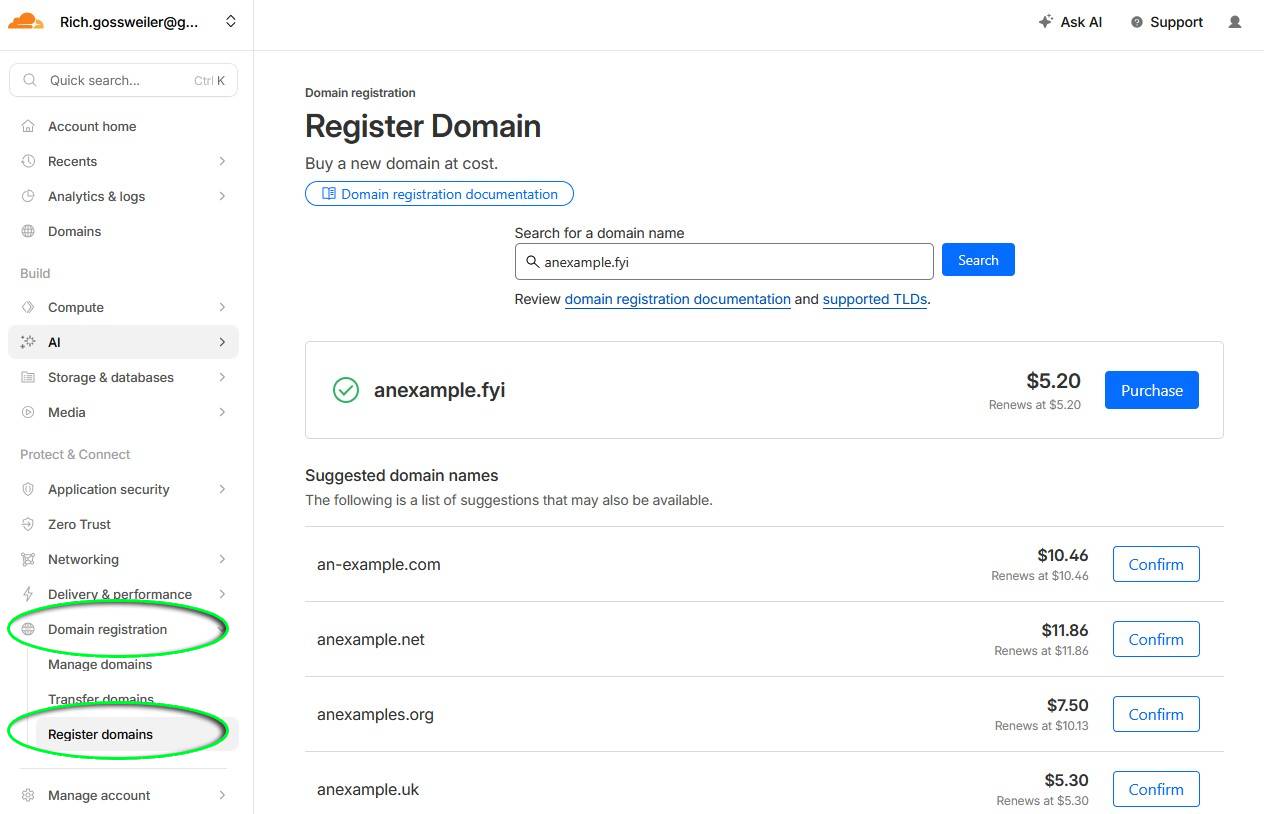
- search for a new domain name and click the
Purchase button
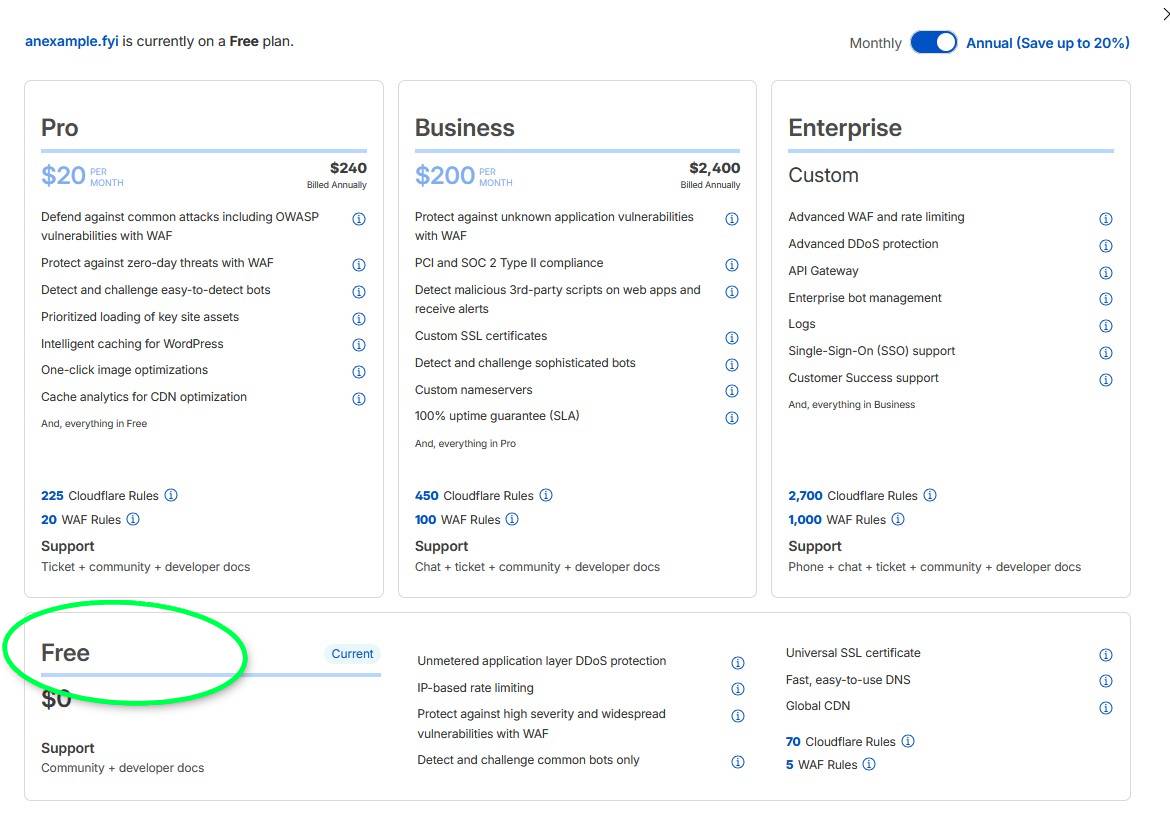
- if it asks for a plan, I pick the
Free planat the bottom
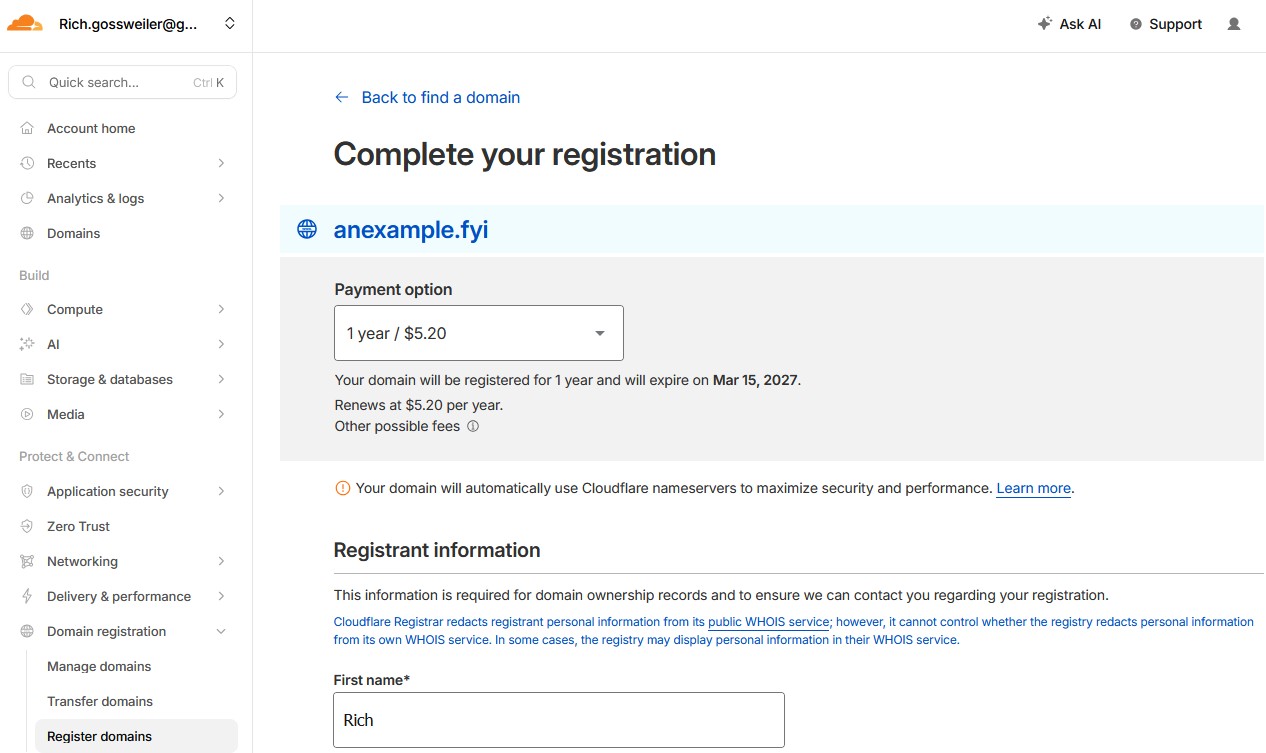
- fill out the registration information and click the purchase
button at the bottom
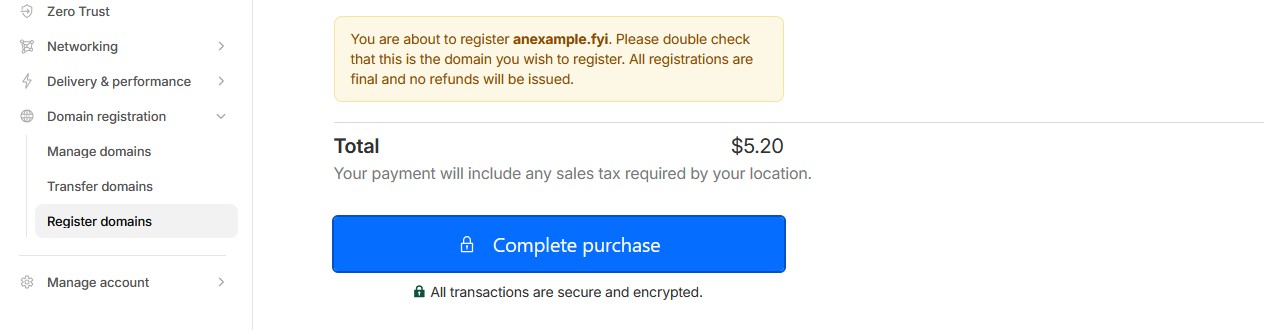
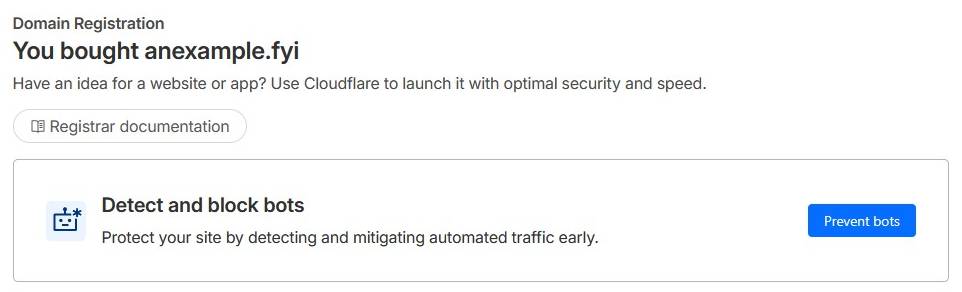
You have a domain name, congrats!
But you may want to do the following too:
- I do not click on the Prevent botsbutton as I suspect it adds an annoying cloudflare "are you a human" checkbox to your site. Not sure and you might want it.
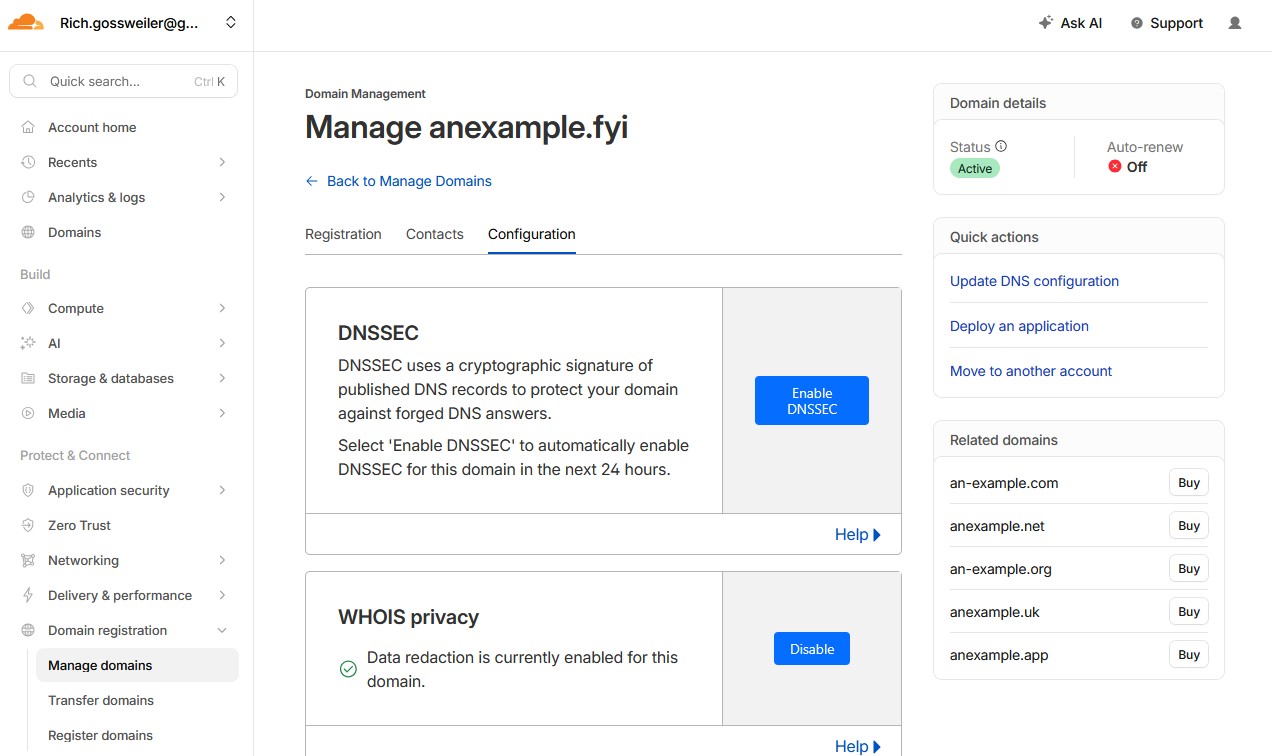
- click on the configuration tab
- enable DNSSEC
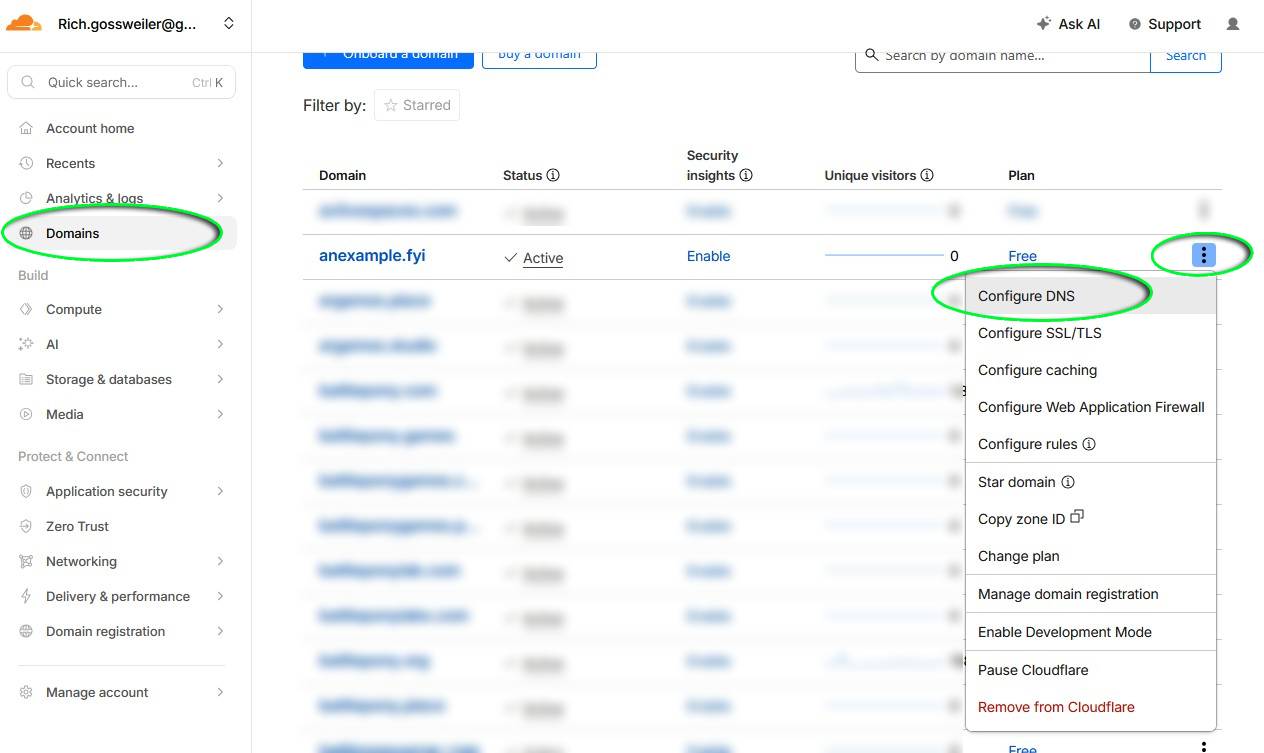
- on the right sidebar click Domains, then find your new domain from the list and click the three dot menu and selectConfigure DNS
- click on the link "set up restrictive SPF..."to prevent email spoofing
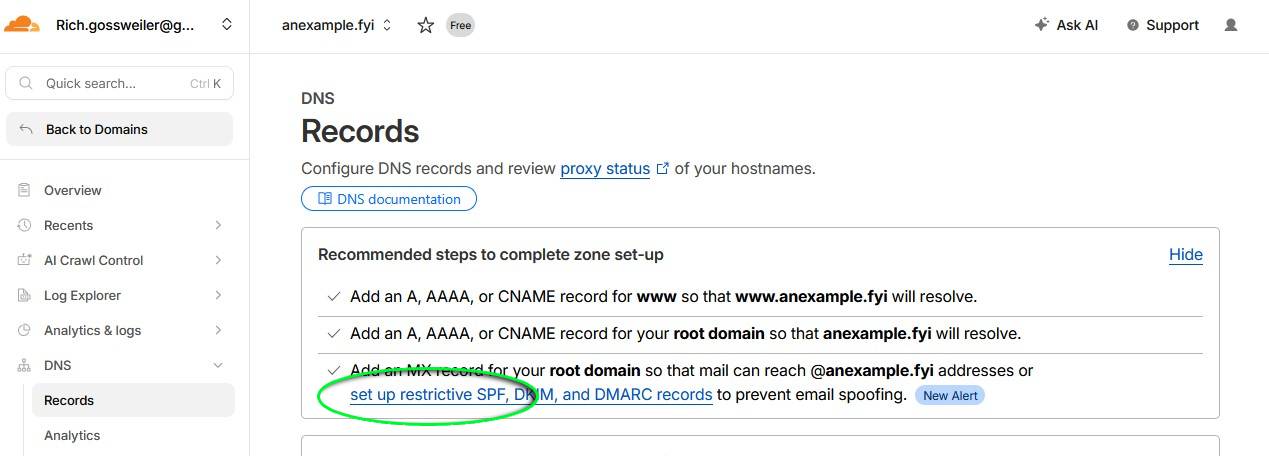
- on the right sidebar click on manage domainsandyour new domain
- click on the Submitbutton to add the records
- on the right, click on the Back to Domains
- on the right sidebar click on Domains
- click on your new domain
this overview page has several links to explore - to see your DNS recods click on the link that says
Go to DNS
That should be a good start. I have a page on how to create a website that can use this new domain name.